
TrustPoint – ანგარიშის წაშლა
TrustPoint ანგარიშის წაშლა შეგიძლიათ მობილურ აპლიკაციაში:
- გახსენით TrustPoint აპლიკაცია და გაიარეთ ავტორიზაცია.
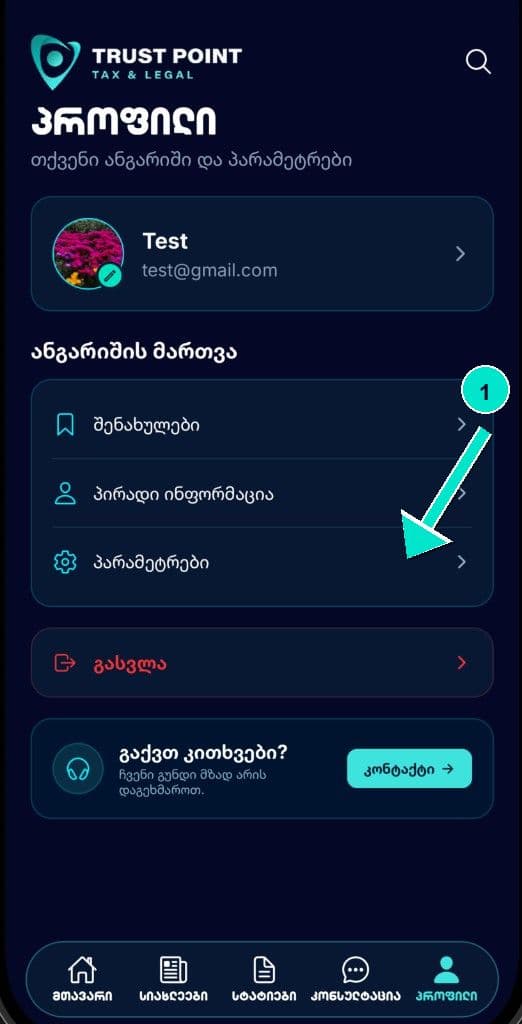
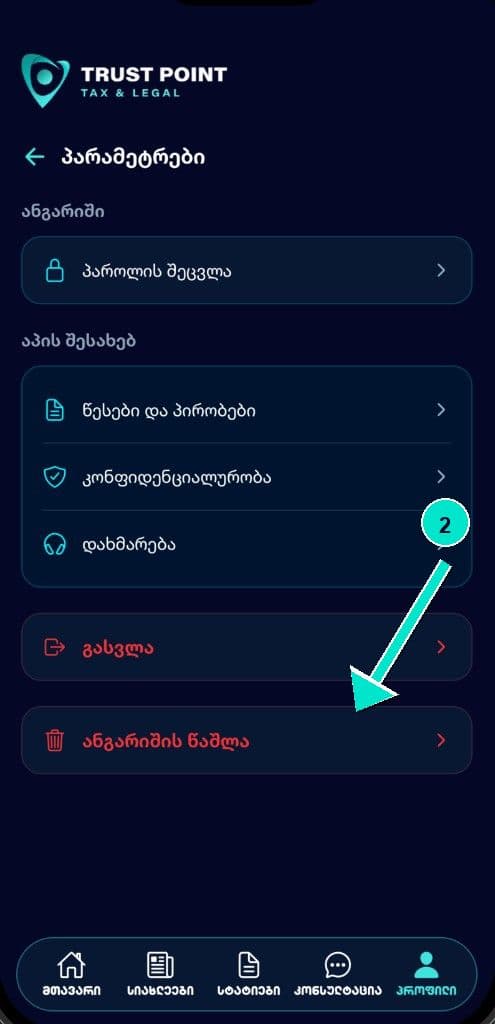
- გადადით Profile → Settings → ანგარიშის წაშლა.
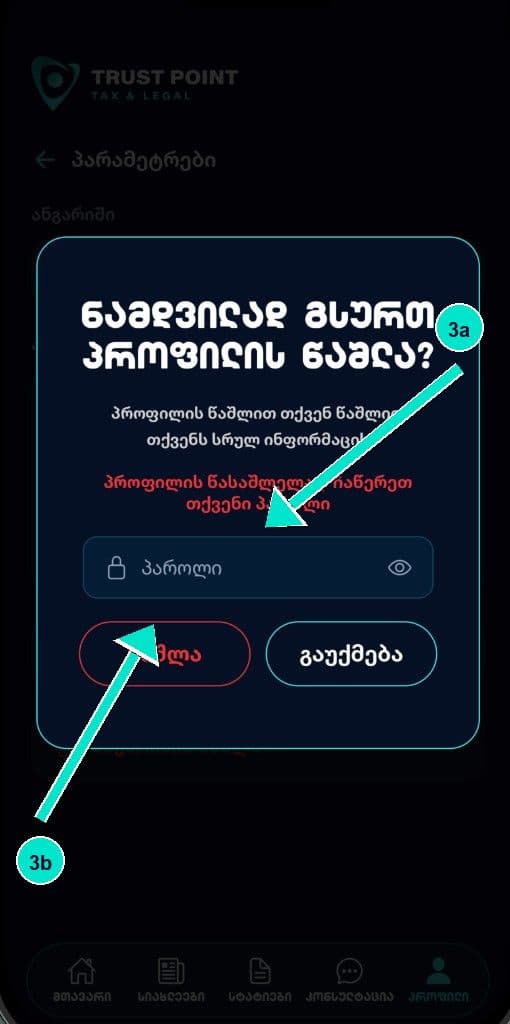
- შეიყვანეთ პაროლი და დაადასტურეთ წაშლა.
ამ მოქმედებით წაიშლება თქვენი ანგარიში და მასთან დაკავშირებული პროფილის მონაცემები (სახელი, ელფოსტა, ტელეფონი, ავატარი, bookmarks). ზოგიერთი ჩანაწერი შესაძლოა შეინახოს კანონით გათვალისწინებულ შემთხვევებში (მაგალითად, საკონსულტაციო მოთხოვნები) განსაზღვრული ვადით.
თუ აპლიკაციაზე წვდომა არ გაქვთ, მოგვწერეთ info@trust-point.ge თემით „ანგარიშის წაშლა“ და მიუთითეთ ანგარიშის ელფოსტა.
TrustPoint – Account deletion
You can delete your TrustPoint account in the mobile app:
- Open the TrustPoint app and sign in.
- Go to Profile → Settings → Delete account.
- Enter your password and confirm.
This deletes your account and associated profile data (name, email, phone, avatar, bookmarks). Some records may be kept if required by law (for example consultation requests) for a limited period.
If you cannot access the app, email info@trust-point.ge with the subject “Account deletion” and the email used for your account.